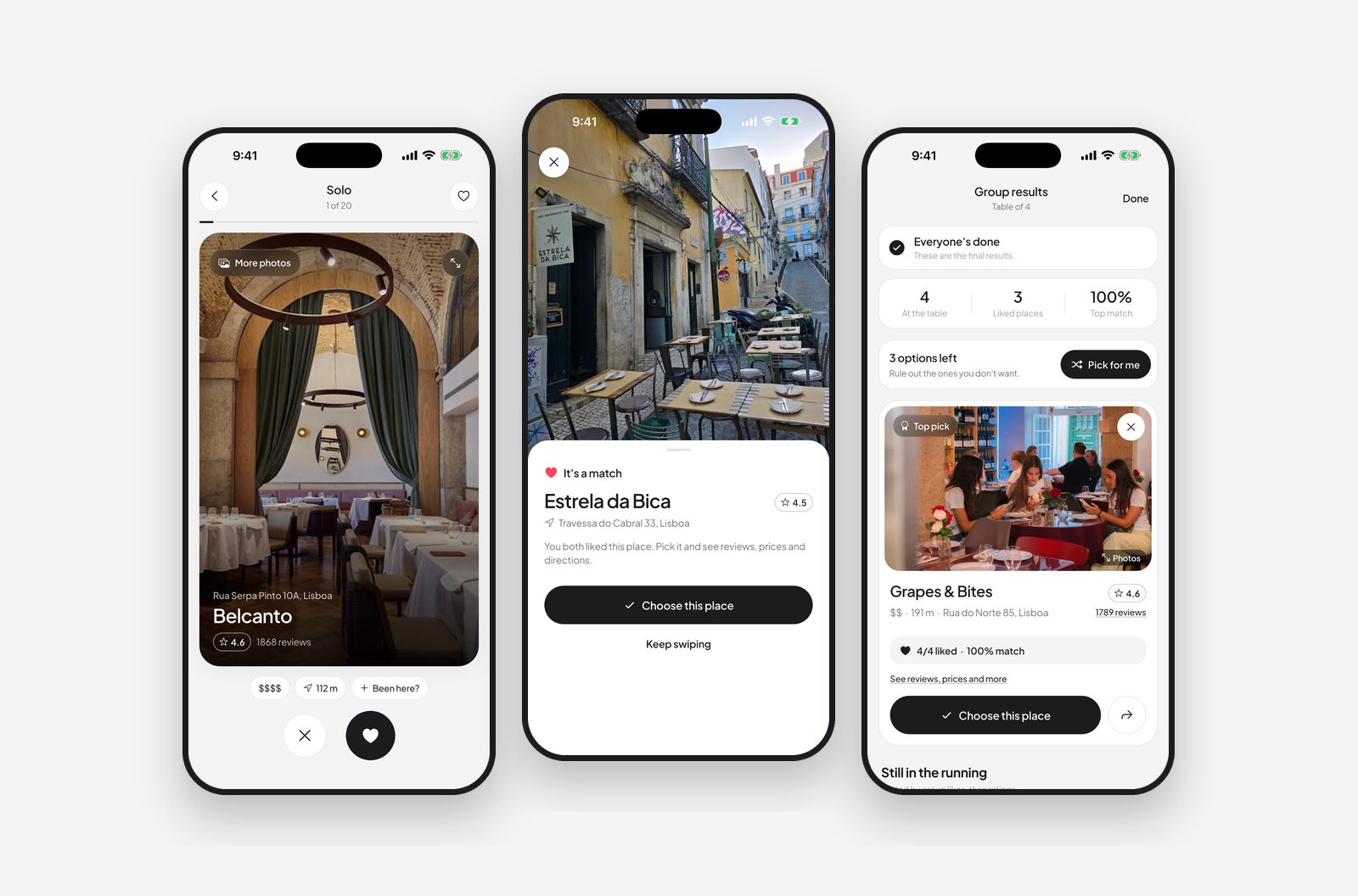
Full disclosure: I make Dinner, one of the apps below. I've kept the others to what their own store pages and websites say, checked in November 2026.
The short answer
A "Tinder for restaurants" shows you places near you one card at a time. You swipe right if it sounds good and left if it doesn't. In a shared session, each person swipes on their own phone, and the app tells you when you've all liked the same place.
It works because it splits one hard question ("where do you want to eat?") into lots of easy ones ("this place: yes or no?"). Nobody has to propose anything, and nobody has to say no to someone's idea out loud.
What to look for
Most of these apps look alike in the screenshots. The differences show up on the night:
- Group size. Some apps are built for two people, some cap groups at four, some go to ten or more. Check yours before the birthday dinner.
- Joining without an account. The person who has to sign up just to vote on dinner is the person who won't. Joining with a code or QR code is the bar.
- Real restaurant data. Opening hours, photos and ratings that are current. Apps built on Google Maps data tend to know about the new place that opened last month.
- Filters that match how you think. Price, distance and "open now" are the basics. Being able to type a dish ("ramen", "francesinha") instead of choosing from eight cuisines matters more than it sounds.
- What happens after the match. Directions, the menu, the phone number. If you have to go back to Google Maps to find the place, the app only did half the job.
- The free plan. Many apps limit sessions or features until you subscribe. That's fine, as long as you know before you're all standing on the pavement.
The apps
Dinner (iPhone, iPad)
Swipe on your own (Solo), with one other person (Duo) or with up to 12 people (Group). Friends join with a code or by scanning a QR code, with no account. Restaurant info comes from Google Maps, and you can type any dish or cuisine in the filter. Free with a deck a day; Premium adds unlimited decks and a wider search. More about Dinner.
Hangrily
According to its website, Hangrily has separate couple and group modes and lets you decide solo, with your partner, or with up to 10 friends.
TasteMate
TasteMate's site says friends can join through a link or a QR code without signing up, and the group's favourites update as votes come in.
DinnerSwipe (Android)
Its Google Play listing describes a "double-blind" mode, so partners can't see each other's swipes until there's a match, with groups of up to four and no account needed.
Food Swipe
Its App Store listing says you can join a session without an account, and that unlimited sessions need a subscription.
Restaurant roulettes
Apps like Decide – Restaurant Roulette or Whatever Eats pick a random place for you. They're quick when you're on your own and truly don't care, but a random pick isn't the same as everyone agreeing.
| App | Swipe together | Group size | Join without an account |
|---|---|---|---|
| Dinner | Yes | Up to 12 | Yes |
| Hangrily | Yes | Up to 10 friends | See their site |
| TasteMate | Yes | See their site | Yes |
| DinnerSwipe | Yes | Up to 4 | Yes |
| Food Swipe | Yes | See their listing | Yes |
| Restaurant roulettes | No | – | – |
No app? Two methods that still work
The 5-3-1 rule: one person names five places, the other cuts it to three, the first picks. The veto list: everyone says one thing they don't want tonight, and you pick from what's left. Both are in our guide on how to finally decide where to eat.
How to use a swipe app without starting a new argument
- Agree the area and budget first. Set the radius and price before anyone swipes, so the matches are places you'd all actually go.
- Swipe honestly and quickly. First instinct, a few seconds per card. Overthinking each card is how a two-minute decision becomes twenty.
- Commit to the match. The deal is that the match wins. If you renegotiate every match, you're back in the group chat.
- No match? Widen one thing. A bigger radius or one more cuisine, then swipe again.

Try Dinner tonight. Free on iPhone and iPad, no sign-up. Swipe together and match on a place in a couple of minutes.
Get Dinner →Frequently asked questions
Is there an app like Tinder for restaurants?
Yes. Several apps let you swipe on nearby restaurants: everyone in the session swipes right or left, and when you all like the same place it's a match. Dinner, Hangrily, TasteMate, DinnerSwipe and Food Swipe all work this way.
What's the best app for couples to decide where to eat?
Look for a two-person mode where you both swipe on your own phone and only matches are revealed, plus real restaurant data and filters for price and what you feel like eating. Dinner's Duo mode works this way and is free on iPhone.
Do my friends need to download the app too?
Usually yes, because each person swipes on their own phone, but the best apps let friends join with a code or QR code without creating an account.
Are restaurant decider apps free?
Most are free to start. Many limit sessions or group size on the free plan and charge a subscription for unlimited use, so check the limits before the night you need it.