Built on Apple's Screen Time API

Stop doomscrolling.
Start living.

Soul Care turns your screen time into a living companion. Raise a Soul that thrives when you're present and fades when you scroll — then block the apps draining it, on your own schedule.

Download on the App Store

Soul Care app icon
6 Soul stages, from Tiny Spark to Celestial
3 Blocking modes: hard, soft, and delayed
100% On-device — no accounts, no cloud
Features

A screen time app you'll actually keep

Not another cold timer. Every minute off distracting apps feeds something you can see.

👻

Your Soul, Your Mirror

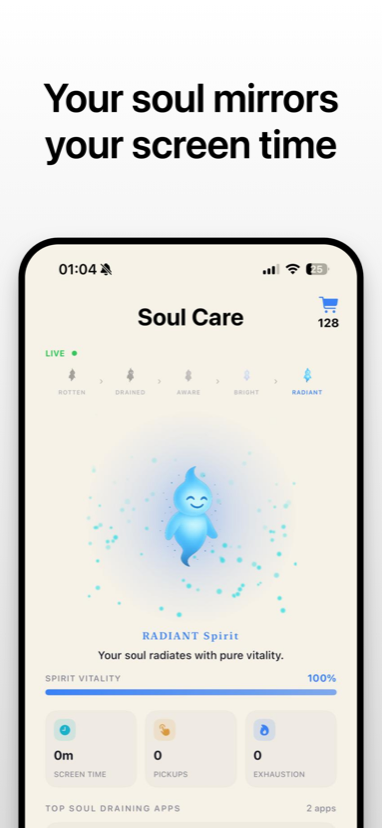
An evolving sprite that grows through six stages. Its vitality rises when you're present and drains when you doomscroll — in real time.

🛡️

App & Website Blocking

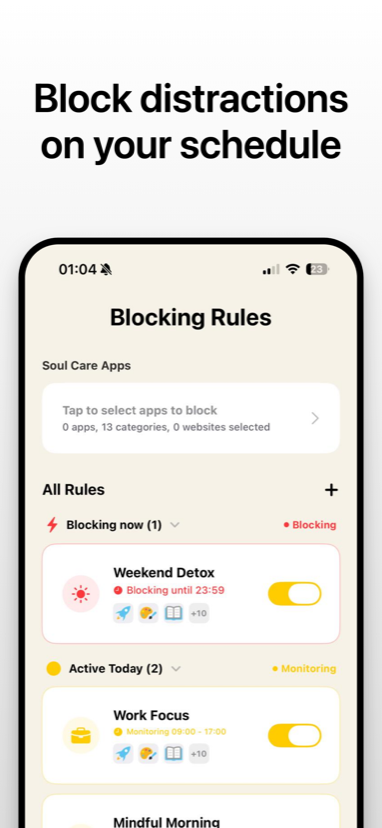
Shield any app or website with rules for Bedtime, Mindful Morning, Work Focus, Weekend Detox, or a fully custom per-day schedule.

Focus Timer With Stakes

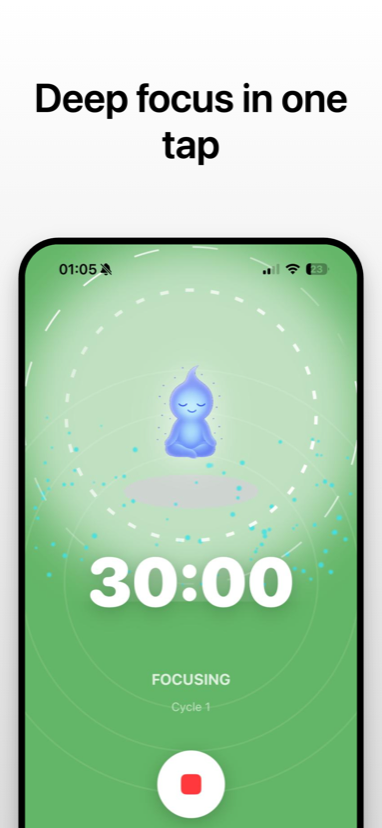
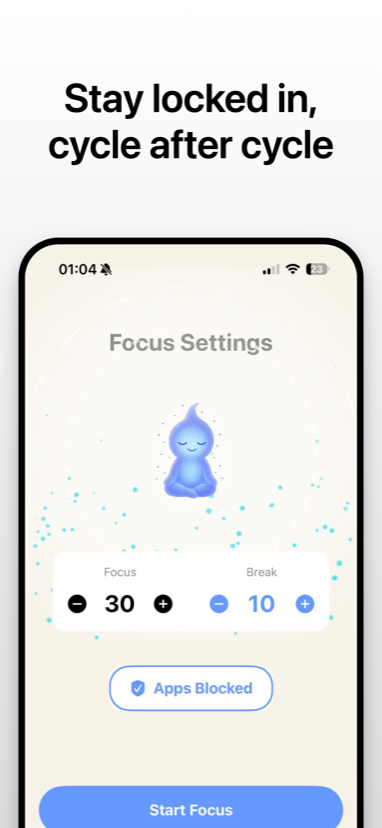
Set focus and break lengths, pick the apps to block, and your Soul meditates alongside you. Finish a cycle, earn vitality and Soul Points.

🌬️

Mindful Unlocks

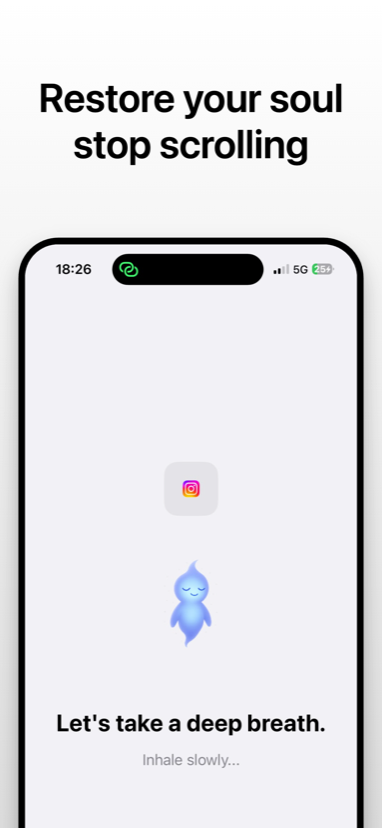
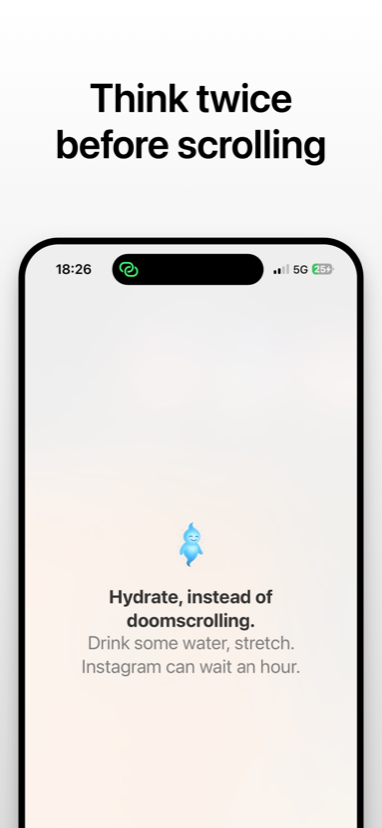
Open a blocked app and Soul Care asks the honest question first — with a breathing circle and a five-second pause before you decide.

Soul Market

Spend earned points on particle effects and colours that surround your Soul. Particles decay daily, so a dense aura is a living trophy.

📊

Insights & Calendar

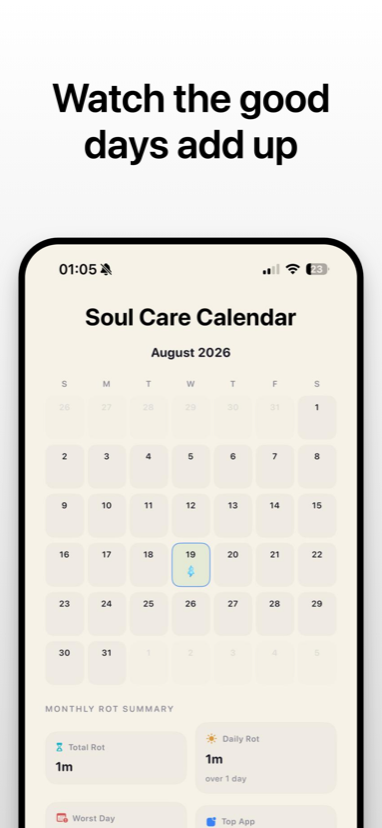
Real screen time, pickups, and worst-offender apps at a glance, plus a calendar tracking your Soul's health day after day.

Blocking

Three ways to say no

Because a wall doesn't fit every moment — pick the friction that matches the habit.

Mode 01

Hard Block

A full shield with no bypass. Soul Care walks you through a breathing exercise and asks why you're reaching for it. Resist, and your Soul is rewarded.

Mode 02

Soft Warning

A gentle nudge that still lets you choose — building awareness without locking you out of your own phone.

Mode 03

Delayed Block

Fifteen minutes of grace before the shield comes down, for the times you genuinely just need to finish one thing.

How it works

Three steps to a stronger Soul

Step 01

Pick your drains

Select the apps and websites that eat your day and choose a blocking mode and schedule for each.

Step 02

Focus, or breathe

Start a focus session with your blocks active — or, when the urge hits, ride it out through the detox flow.

Step 03

Watch it grow

Earn vitality and Soul Points, spend them on your aura, and see the reclaimed hours stack up on your calendar.

Screens

See it in action

Swipe through the app — from your Soul's dashboard to the moment it talks you out of a scroll.

Soul Care dashboard showing a radiant soul and spirit vitality Your Soul mirrors your screen time.
Focus session countdown with a meditating soul Deep focus in one tap.
Focus settings with focus and break durations Stay locked in, cycle after cycle.
Blocking rules list with schedules and toggles Block distractions on your schedule.
Breathing screen shown when opening a blocked app Restore your soul, stop scrolling.
Suggestion to hydrate instead of doomscrolling Think twice before scrolling.
Soul Care calendar with a monthly rot summary Watch the good days add up.

The pause that
changes the habit.

Soul Care's detox flow is built on urge surfing — the idea that a craving passes if you let it. Instead of a flat "no," a hard-blocked app opens a short, honest ritual.

  • Breathe while a circle expands and a five-second timer runs.
  • Name what's pulling you back — bored, habit, or avoiding something.
  • Make a conscious choice, and earn vitality for riding it out.
  • Still need in? Unlock for fifteen minutes. No guilt, no judgment.
Soul Care breathing prompt on a blocked app

🔒 Private by design

Soul Care uses Apple's Screen Time API, so all monitoring and blocking happens entirely on your device. Your data never leaves your phone. No accounts, no cloud, no tracking.

Your time back,
one breath at a time.

Raise your Soul and see what the hours were hiding.

Download on the App Store